7.3 - Flowcharts
Introduction to flowcharts in algorithms
Flowcharts provide a visual way to represent algorithms, using shapes and arrows to show the steps involved. An algorithm is a set of instructions to solve a problem or perform a task. Just like pseudocode, flowcharts can describe the same algorithm in various ways, but they make the logic easier to follow through diagrams.
Flowcharts are particularly useful for showing the flow of control, including decisions and loops. Arrows connect the shapes to indicate the direction of the process, and some shapes can have multiple arrows entering or leaving them to represent different paths.
Shapes used in flowcharts
Flowcharts use specific shapes to represent different types of commands or actions. Each shape has a standard meaning to ensure consistency and clarity.
Key flowchart shapes and their purposes

| Shape | Purpose |
|---|---|
| Start/Stop | Shown as ovals or boxes with rounded corners, these mark the beginning and end of the algorithm. They are also known as terminals. |
| Inputs/Outputs | Represented by parallelograms, these boxes handle anything entered into the algorithm (inputs) or produced by it (outputs). |
| Processes | Used for general instructions, calculations, or actions, these are rectangular boxes. |
| Decisions | Diamond-shaped boxes for questions or conditions, often with 'yes' or 'no' outcomes. They direct the flow based on whether a condition is true or false. |
| Subprograms | These reference other flowcharts or separate procedures. |
Arrows always connect these shapes, guiding the flow from one step to the next.
Representing sequences in flowcharts
A sequence in an algorithm is a straightforward series of steps with no branches or loops, meaning there is only one path from start to end. Flowcharts represent this with a linear arrangement of shapes connected by arrows.
Example: Flowchart for calculating a salary after a 5% increase
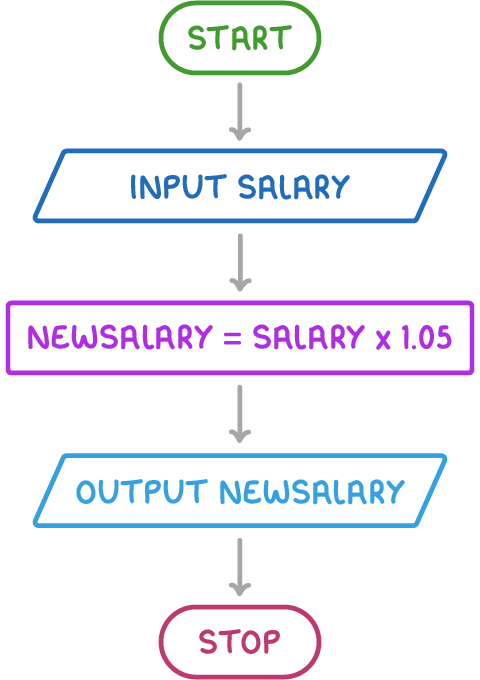
Steps in the sequence:
- Begin with a Start oval.
- Arrow to an input parallelogram: "Input salary".
- Arrow to a process rectangle: "newsalary = salary × 1.05".
- Arrow to an output parallelogram: "Output newsalary".
- Arrow to a Stop oval.
In this setup, each step follows directly from the previous one, showing how to compute and display the new salary without any decisions or repetitions.
Representing selections in flowcharts
Selections involve choices or conditions that create multiple paths through the algorithm. Flowcharts use decision diamonds to branch the flow, often based on yes/no questions, leading to different outcomes.
Example: Flowchart for checking a password
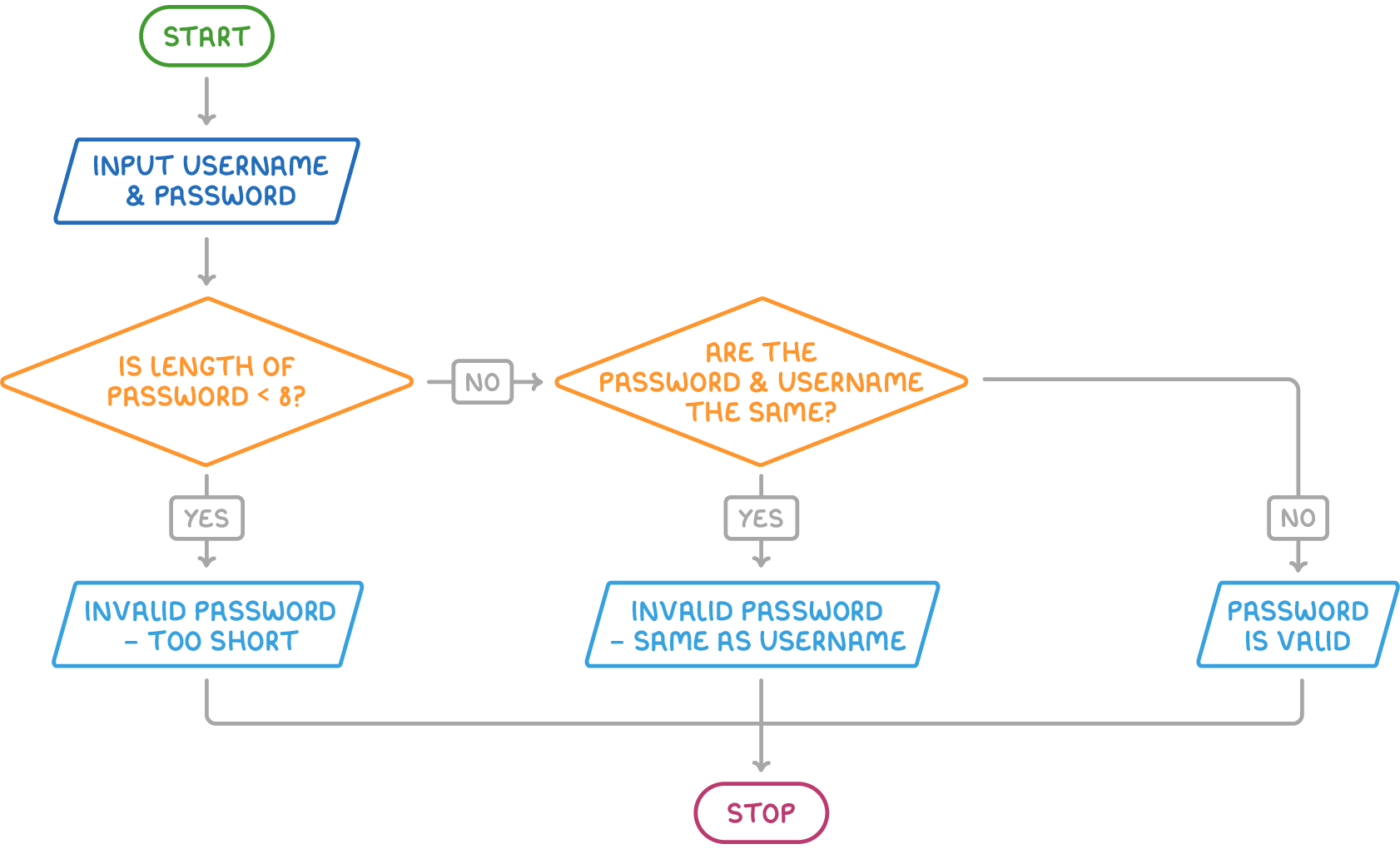
Steps showing selection:
- Begin with a Start oval.
- Arrow to an input parallelogram: "Input username and password".
- Arrow to a decision diamond: "Is length of password ≤ 8?".
- If "Yes", arrow to an output parallelogram: "Invalid password — too short", then to Stop oval.
- If "No", arrow to another decision diamond: "Are the password and username the same?".
- If "Yes", arrow to an output parallelogram: "Invalid password — same as username", then to Stop oval.
- If "No", arrow to an output parallelogram: "Password is valid", then to Stop oval.
Here, the decisions create branches, allowing different endings based on the inputs. This structure breaks the algorithm into testable stages for coding.
Representing iterations in flowcharts
Iterations, or loops, repeat a set of steps until a condition is met. In flowcharts, this is shown with arrows that loop back to earlier points, often controlled by decision diamonds.
Example: Flowchart for a linear search
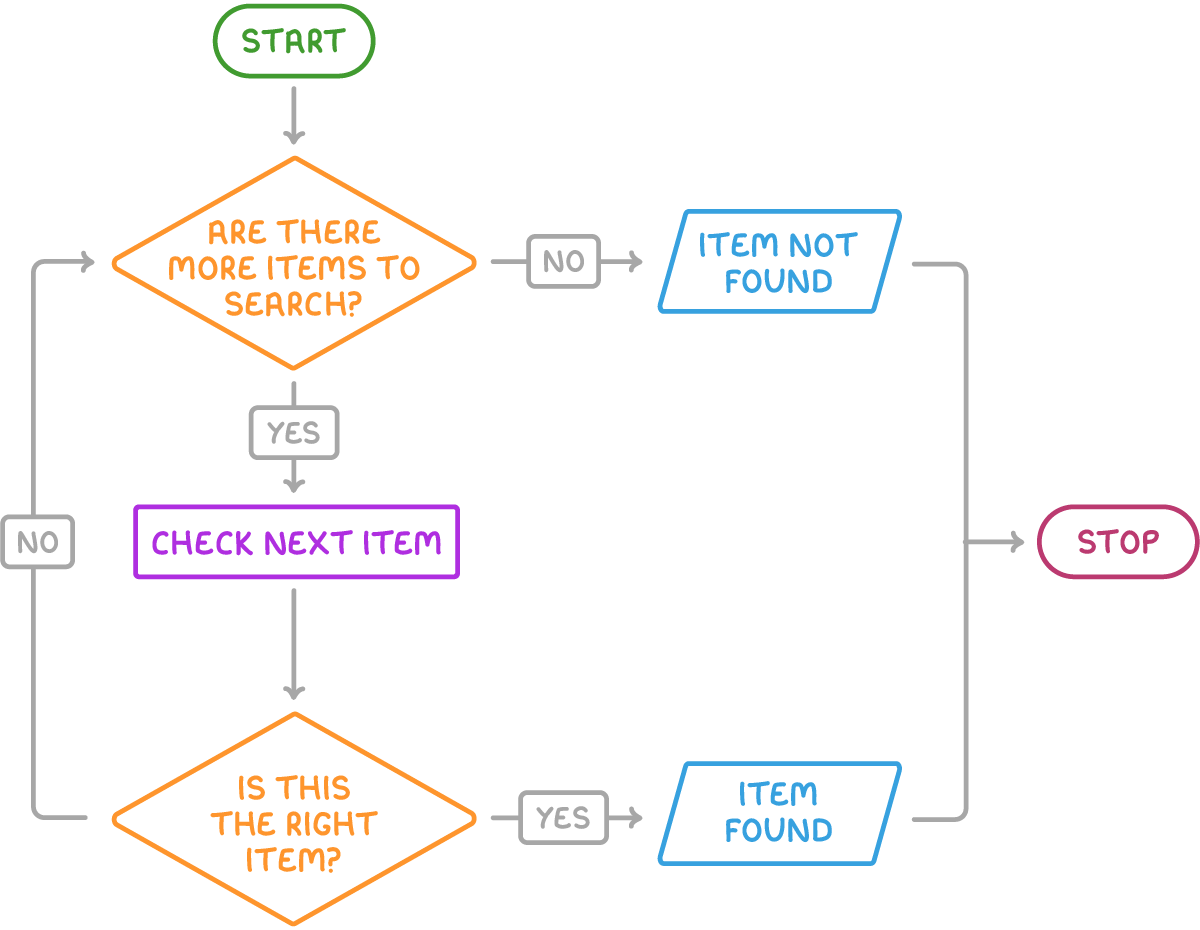
Steps showing iteration:
- Begin with a Start oval.
- Arrow to a decision diamond: "Are there more items to search?".
- If "No", arrow to an output parallelogram: "Item not found", then to Stop oval.
- If "Yes", arrow to a process rectangle: "Check next item".
- Arrow from the process to another decision diamond: "Is this the right item?".
- If "Yes", arrow to an output parallelogram: "Item found", then to Stop oval.
- If "No", arrow loops back to the first decision diamond: "Are there more items to search?".
The loop allows the search to continue through all items until the target is found or the list ends. This repeating structure is essential for tasks that need to process multiple elements.